

Smart Public Restroom
See room conditions, stall availability and cleaning status at a glance
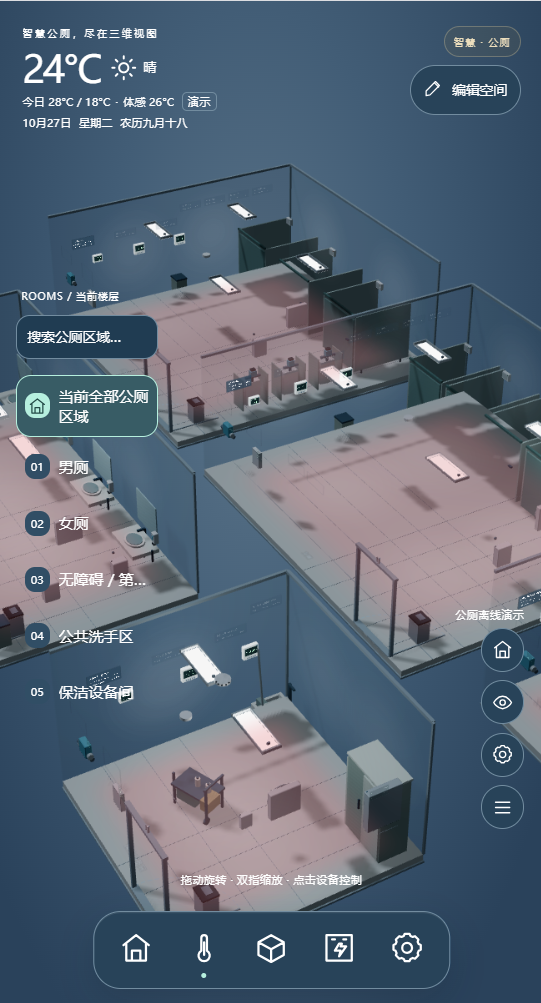
This design example covers one public restroom with men's and women's areas, an accessible/family room, a shared handwashing area and a cleaning/equipment room. Zone status, anonymous stall occupancy, air conditions, leaks, lighting, ventilation and cleaning response appear in one spatial view. Managers find exceptions by zone, while on-site staff act on specific points and record the outcome.
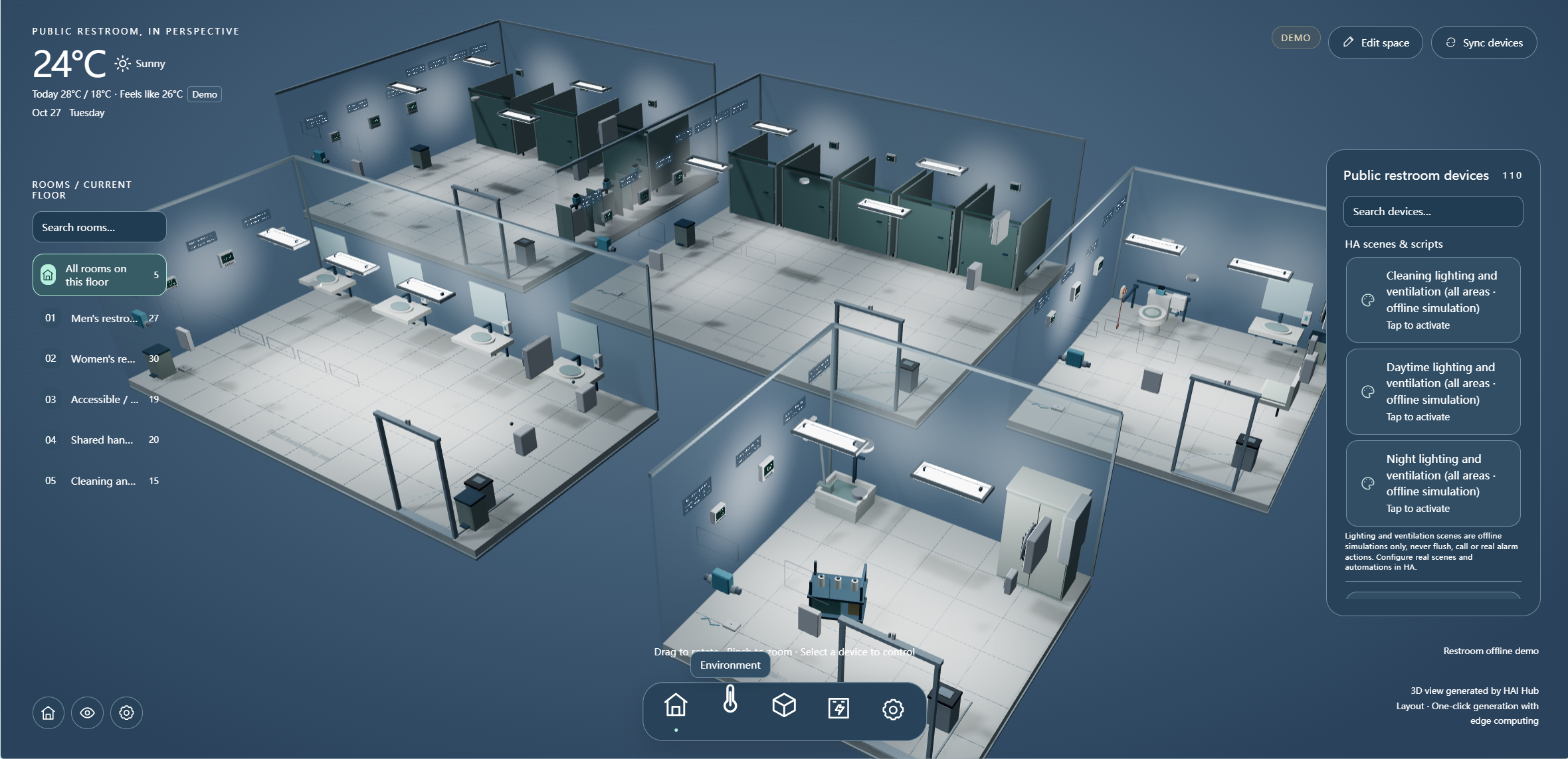
Public restroom operations often suffer from scattered information: cleaners make scheduled rounds without knowing which area needs attention first, equipment faults are escalated only after someone finds them on site, and stall and accessible-room status are hard to view together. This solution turns detect, locate, assign and verify into a clear workflow.
01 · Design basis: one restroom divided into five zones
Quantities are estimates for the example layout; confirm stalls, circuits, water branches and existing interfaces against drawings and a site survey.
The five zones are men's and women's restrooms, an accessible/family room, a shared handwashing area and a cleaning/equipment room. For estimating, assume three separate stalls in each of the men's and women's areas, or six anonymous occupancy points, plus one representative environmental point in each zone, or five points. Demo interface entities include states, scenes and simulated points; they do not define a procurement list.
02 · Architecture: zone sensing, local integration and a cleaning workspace
Link location to status so a device event becomes an actionable task.
The 3D interface shows, locates and requests authorized actions. Whether lighting and ventilation can be linked and when they run depend on existing interfaces, site electrical conditions and commissioning. Demo scenes never trigger flushing or accessible-room assistance automatically.
03 · Zone overview: open each space from one view
Locate the zone first during inspection or repair, then verify the device identity and current status.
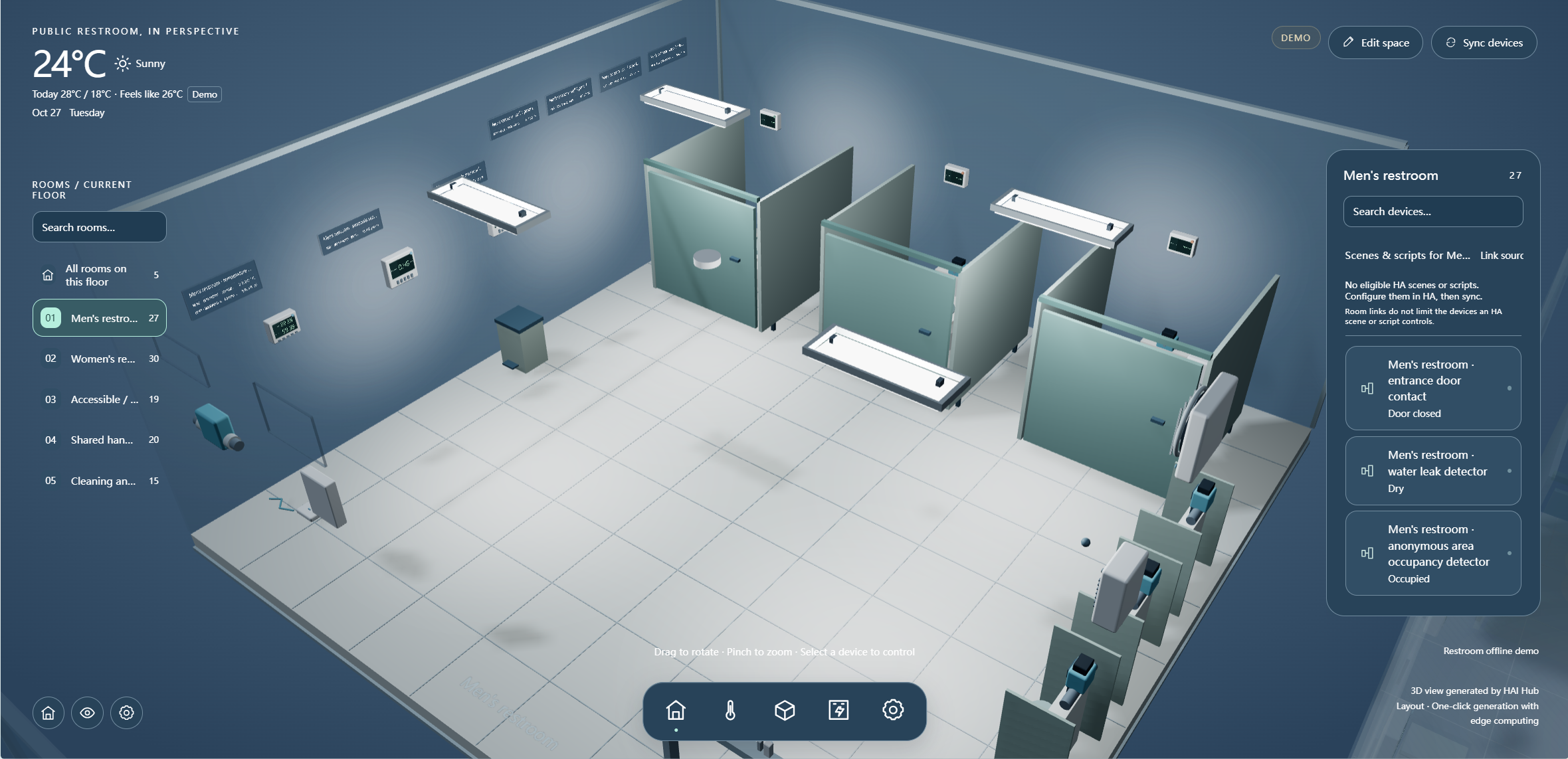
View occupancy, environment and faults by stall and shared area without recording user identity.
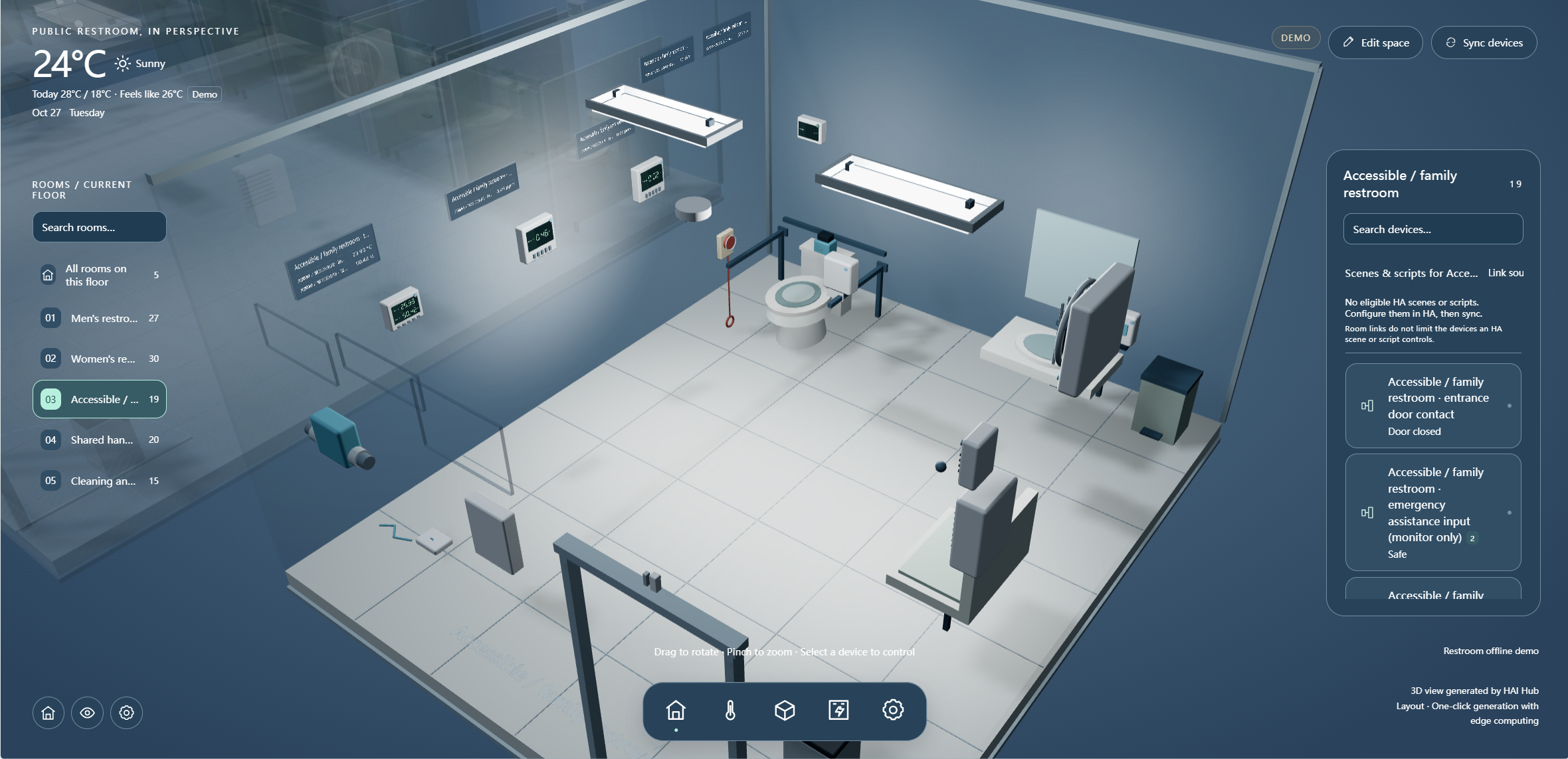
Display door state and assistance input separately, with a defined duty role and arrival procedure.
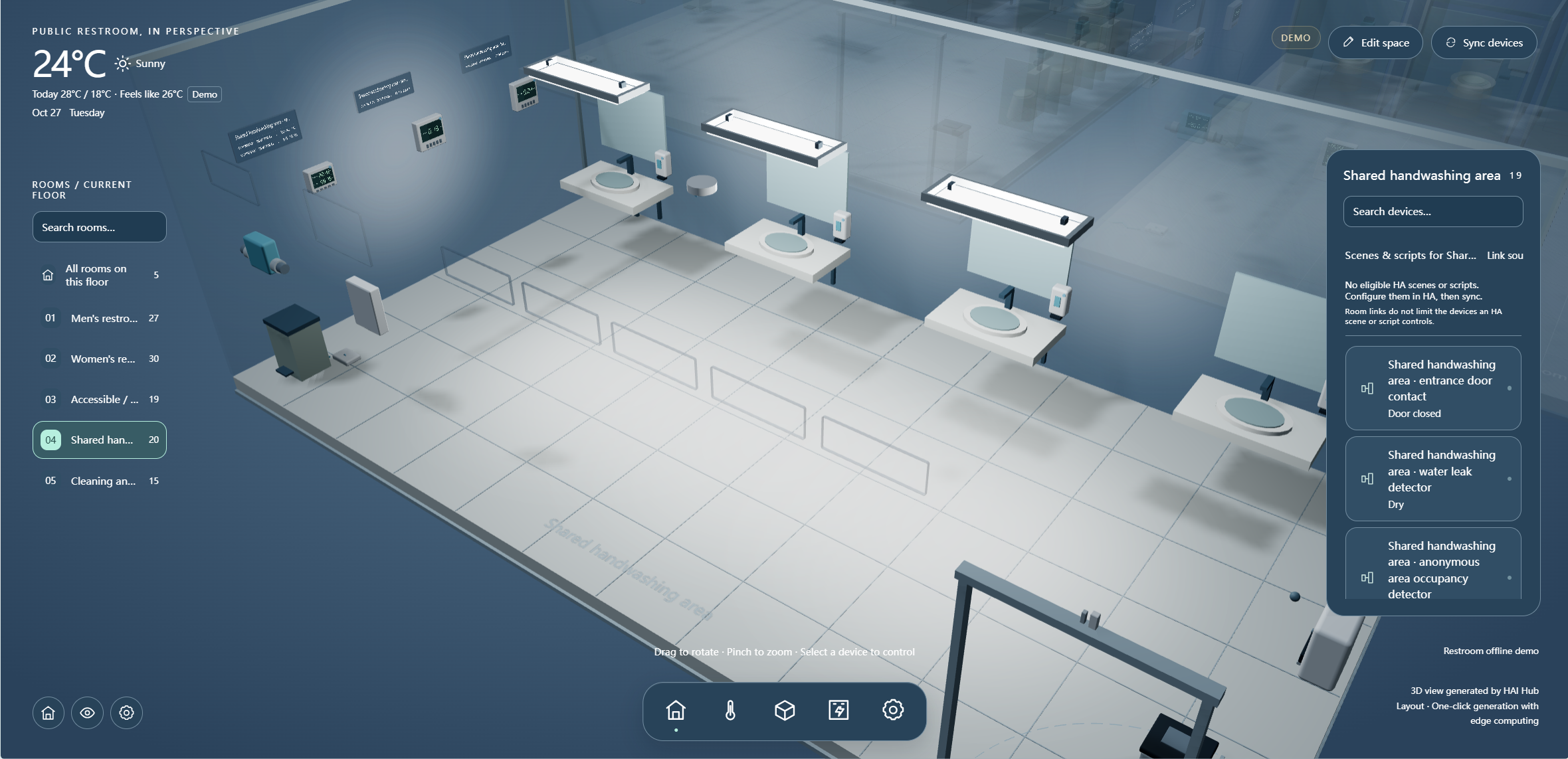
Include wash points, leaks, consumables and cleaning equipment status in the inspection route.
04 · Cleaning and handwashing: from notification to verification
Each issue should show its trigger, responsible person and recovery time.
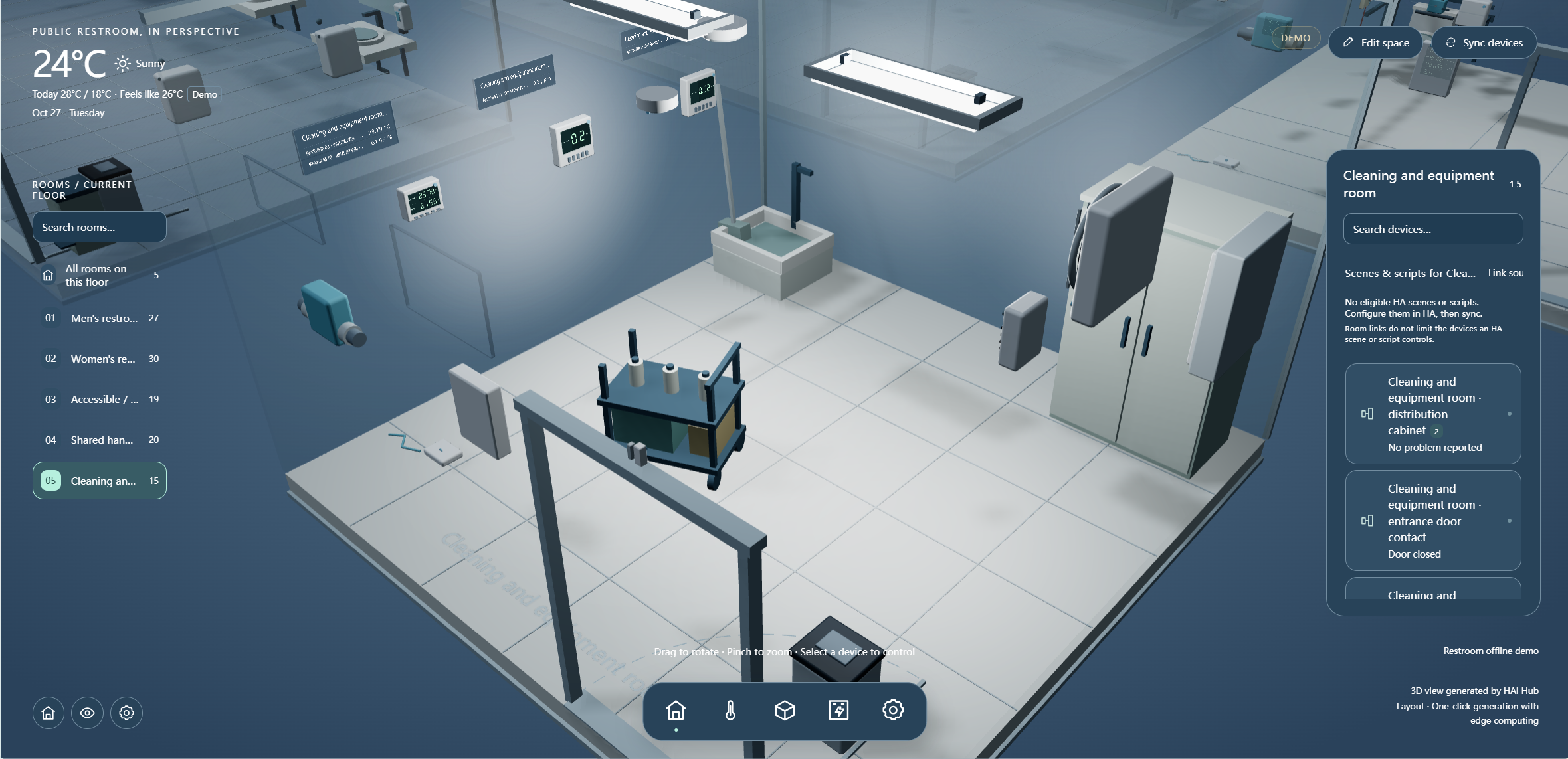
Needs-based inspection
Combine zone exceptions with routine rounds, prioritizing leaks, equipment faults and urgent cleaning events.
On-site update
Staff record arrival time, cause, action and photos or notes. “Assigned” must not be treated as “Resolved.”
Verify and close
Duty staff check point recovery and necessary on-site confirmation before closing an event, retaining a traceable record.
05 · Air conditions and stall status: collect only necessary data
Show measurement location, unit, time and device status together so demo readings are not mistaken for verified field results.
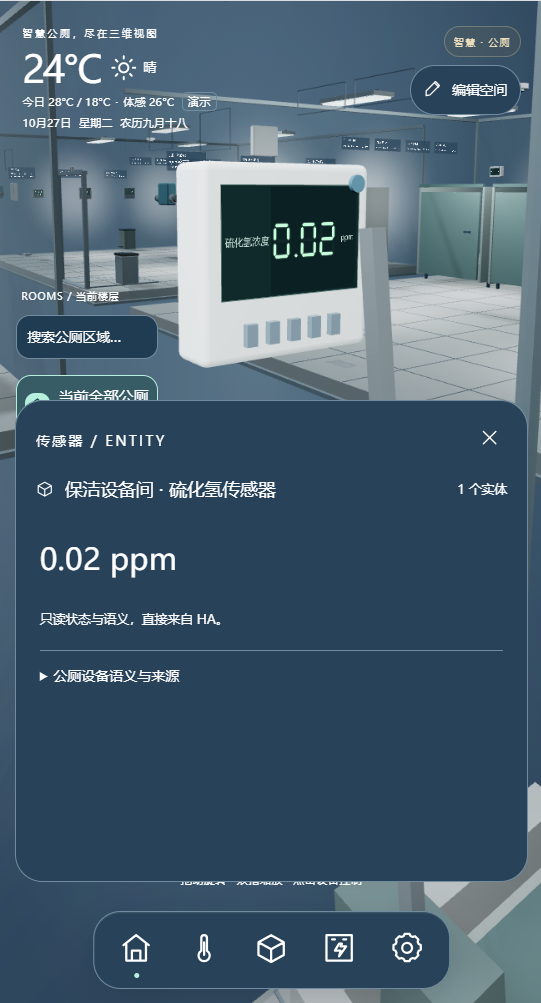
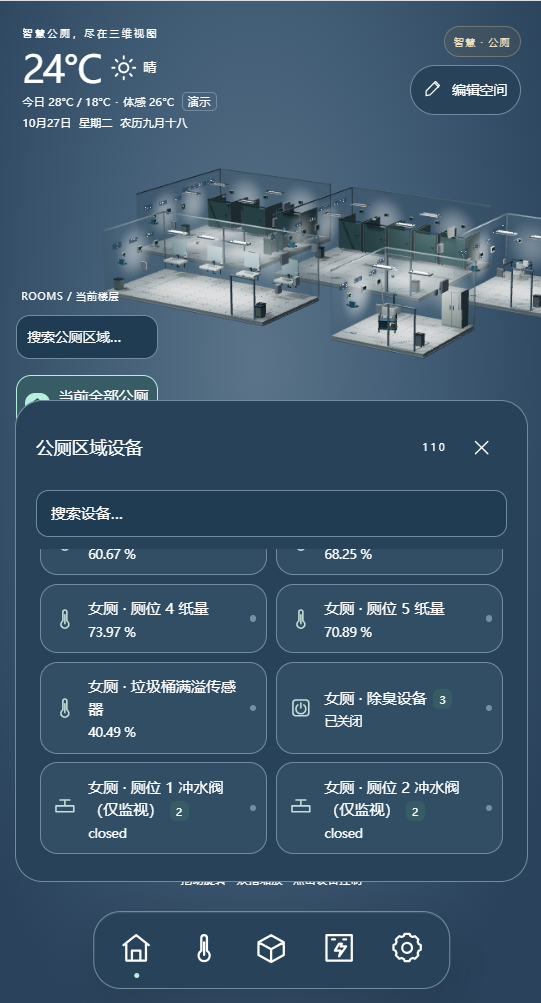
Air measurement points
Show temperature, humidity and connected gas indicators by zone; configure thresholds, duration and retest rules alongside device ranges.
Anonymous occupancy
Keep only stall “vacant/occupied” states and device events, with no faces, identities or personal movement tracks.
Consumables and water
Connect paper, bin and water-meter data where open interfaces exist; otherwise record manual inspections.
06 · Day, night and cleaning scenes: show both requests and feedback
Scenes manage lighting and ventilation; actual circuit state confirms the result.
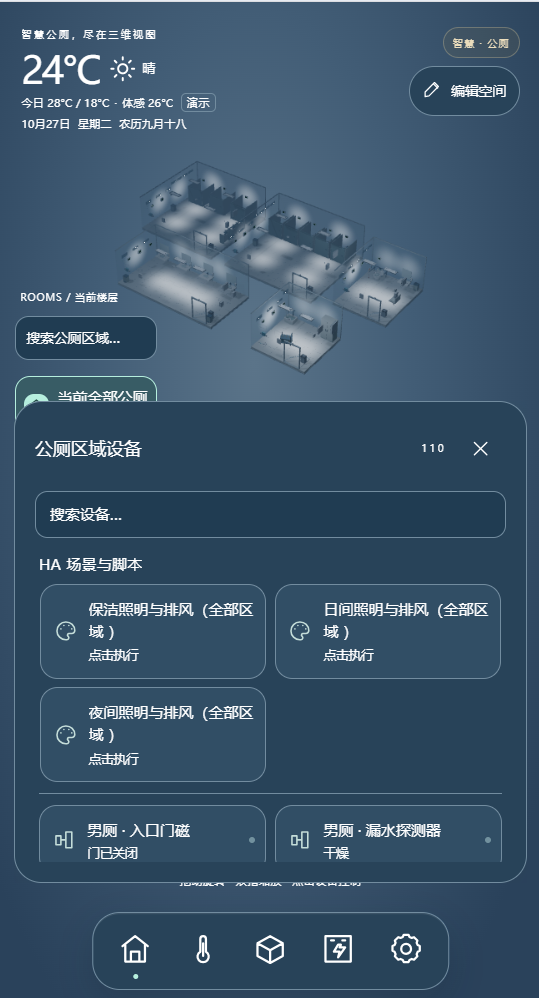
Daytime
Request public-area lighting and needed ventilation for opening hours; confirm circuit feedback and faults separately.
Nighttime
Switch to nighttime lighting groups while retaining necessary ventilation; clearly show equipment still running.
Cleaning
Provide task lighting and ventilation in authorized areas, then confirm restoration after cleaning.
Exception
A leak, lost device connection or environmental overrun creates a separate event that a scene change does not erase.
Show zone, point and trigger time, notify duty staff to check the water source and arrange an on-site response; then verify sensor recovery and staff records. “Notified” is not displayed as “Leak resolved.”
07 · From device event to on-site resolution
Every role knows the next step.
View zone tasks, respond on site and record results.
Locate leaks and faults in lighting, ventilation or distribution.
Receive notifications from the accessible-assistance chain, coordinate arrival and confirm recovery.
Review response times, open events and equipment status without claiming performance from demo data.
08 · Example equipment and interface list
Verified HAIOTS models are shown; other model cells remain blank. Quantities are estimates for the five-zone example.
Platform and local entry
| Product name | Model | Quantity | Purpose and selection reason |
|---|---|---|---|
| Enterprise IoT control gateway | HAI04 | 1 unit | Integrates five-zone data and scene rules locally; verify capacity, protocols and installation against the site point list. |
| HA centralized management platform | HMS | 1 set; verify license | Manage zones, roles, events and operation logs; check existing platform rights to avoid duplicate purchases. |
| Scene control panel | HAQ040 | Optional: 1 unit | A local scene entry in the cleaning/equipment room; select according to power, protocol and permissions. |
Environment, stalls and assistance
| Product name | Model | Quantity | Purpose and selection reason |
|---|---|---|---|
| Temperature, humidity and light sensor | HA AIR04 | Estimated: 5 units | One representative point per zone; avoid direct airflow, sunlight and local moisture to capture trends. |
| Hydrogen sulfide or other gas sensor | Optional: 3 units | One in each men's, women's and cleaning area; use device documentation for range, height, calibration and thresholds. | |
| Anonymous stall occupancy sensor | Estimated: 6 units | Three stalls in each men's and women's area, one point per stall; output occupancy only, without identity. | |
| Stall-paper level / bin-full sensor | Optional: 7 units | Six paper points plus one shared bin; configure only with suitable sensors and installation conditions. | |
| Accessible-room emergency assistance input | 1 group; size on site | Connect to a dedicated call button and staffed response chain; the interface monitors the input only. Test sound/light alerts and staff arrival separately. | |
| Entrance door contacts and status inputs | Optional: 4 locations | One each for men's, women's, accessible and cleaning rooms; do not force a contact on an open entrance. | |
| Single-channel dry-contact input module | HA DI01 | Optional: 4 units | One for each of four entrances only when compatible dry contacts cannot be read from the existing system. |
Water, power and equipment state
| Product name | Model | Quantity | Purpose and selection reason |
|---|---|---|---|
| Water-leak detection point | Estimated: 5 locations | Choose one wet or pipe-risk point per zone; sensor type and wiring depend on floors and pipes. | |
| Existing lighting circuits and status interfaces | Estimated: 5 groups | At least one example circuit per zone; reuse compliant distribution and protection, adjusting to real lighting groups. | |
| Existing ventilation units and status interfaces | Estimated: 3 groups | One each in men's, women's and accessible rooms; verify motor protection, feedback and manual operation. | |
| 24-circuit relay module | HA-M24162 | Optional: 1 unit | Use only where lighting/ventilation loads and centralized distribution are compatible; do not inflate circuit count to match module capacity. |
| Single-phase smart energy meter | HA EM14 | Optional: 1 unit | Example metering for the whole restroom; reselect for three-phase power or separate circuits. |
| Existing water meter or open metering interface | Optional: 1 group | Connect water-use trends only with an independent meter and available interface; do not infer consumption from flush-valve status. | |
| Existing deodorizing unit and read-only status interface | Optional: 1 group | Reuse the installed unit and first read operation and fault states; confirm control capability separately. |
Handover and maintenance
| Product name | Model | Quantity | Purpose and selection reason |
|---|---|---|---|
| Site network, power and installation accessories | 1 group; size on site | Design for wet areas, low-voltage routes, device protection and network coverage while keeping local controls. | |
| Point list, event rules and configuration backup | 1 set | Handover zone IDs, points, thresholds, scene conditions, role permissions and recovery steps. |
The list excludes existing fixtures, partitions, flush valves, fans, luminaires and distribution wiring, and shows no internal prices. Unverified models remain blank.
09 · Handover and acceptance: every alert needs a result
Check the solution through point tests, on-site actions and documented resolution.
Check device positions, IDs and anonymous stall states by zone; confirm no personal identity data enters the platform.
Compare field instruments with the interface; simulate a threshold breach or leak and check time, zone, alert and recovery.
Test Daytime, Night and Cleaning lighting/ventilation; record commands, device feedback, faults and original switch operation.
Test accessible-room assistance input, staff notification and arrival; during network loss, verify the local call chain and original device operation, then state synchronization.
If the real stall count differs from six, recalculate occupancy and paper points. Open entrances need no door contacts. Distributed lighting and ventilation cannot simply reuse one centralized relay module. Without open water-meter or deodorizing interfaces, use manual inspections or independent sensing.
Solution type: standardized design example. For similar needs, contact our solution engineers to build a tailored solution. All images show operating interfaces from an existing solution case.


