
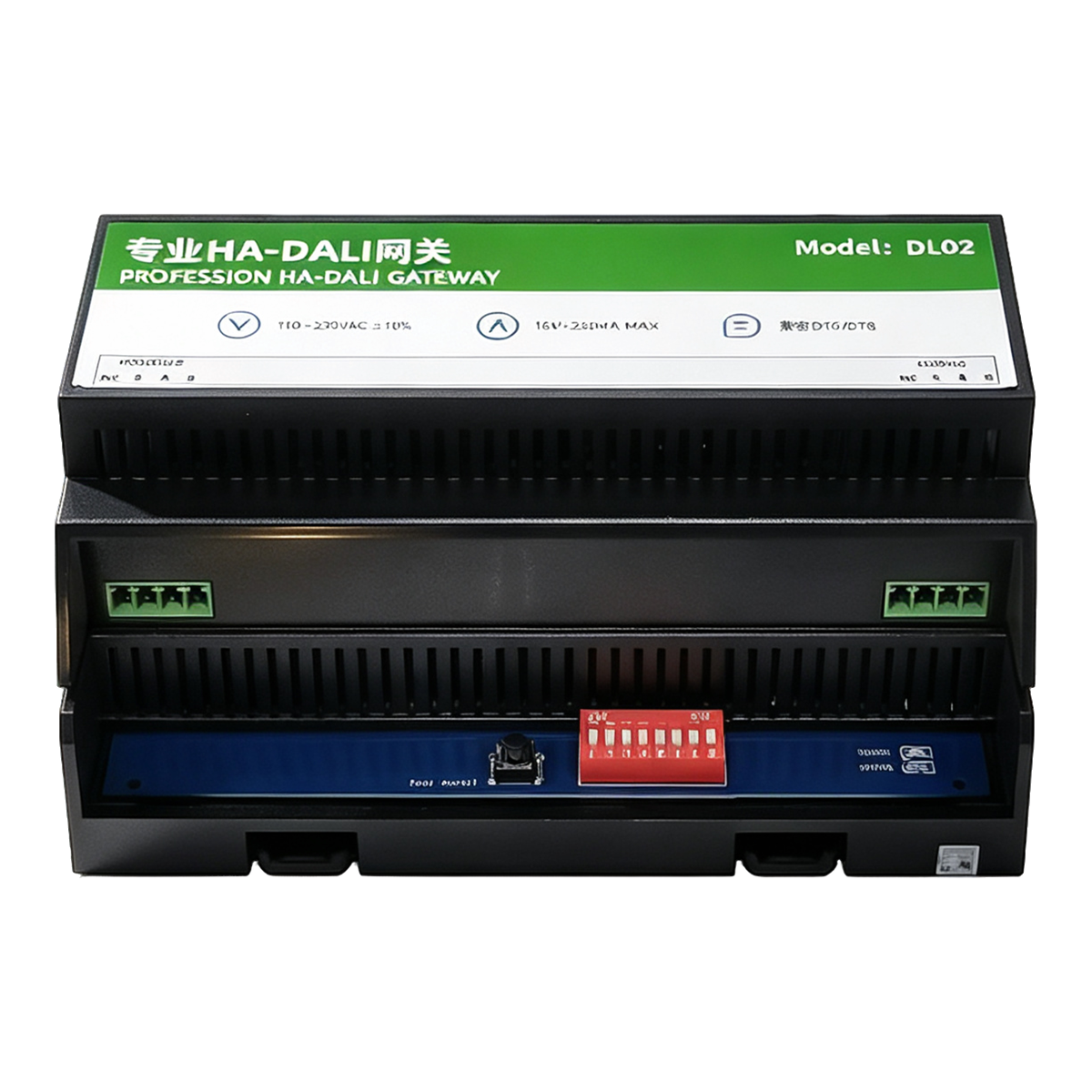
![[DEMO] HA‑DALI Dimming Professional Gateway · DL02](https://www.haiots.com/wp-content/uploads/2021/09/2021090316262856.png?x-oss-process=image/format,webp)
![[DEMO] HA‑DALI Dimming Professional Gateway · DL02](https://oss.haiots.com/uploads/2026/10/20261011214345478.png?x-oss-process=image/resize,m_fill,w_800,h_800,limit_0)
![[DEMO] HA‑DALI Dimming Professional Gateway · DL02](https://oss.haiots.com/uploads/2026/10/20261011214345478.png?x-oss-process=image/format,webp,image/resize,m_fill,w_480,h_480,limit_0)
![[DEMO] HA‑DALI Dimming Professional Gateway · DL02](https://oss.haiots.com/uploads/2026/10/20261011214413177.png?x-oss-process=image/format,webp,image/resize,m_fill,w_480,h_480,limit_0)
![[DEMO] HA‑DALI Dimming Professional Gateway · DL02](https://oss.haiots.com/uploads/2026/10/20261011220926506.png?x-oss-process=image/format,webp,image/resize,m_fill,w_480,h_480,limit_0)
![[DEMO] HA‑DALI Dimming Professional Gateway · DL02](https://oss.haiots.com/uploads/2026/10/20261011221001464.png?x-oss-process=image/format,webp,image/resize,m_fill,w_480,h_480,limit_0)
![[DEMO] HA‑DALI Dimming Professional Gateway · DL02](https://oss.haiots.com/uploads/2026/10/20261011221036260.png?x-oss-process=image/format,webp,image/resize,m_fill,w_480,h_480,limit_0)
![[DEMO] HA‑DALI Dimming Professional Gateway · DL02](https://oss.haiots.com/uploads/2026/10/20261011221107159.png?x-oss-process=image/format,webp,image/resize,m_fill,w_480,h_480,limit_0)
![[DEMO] HA‑DALI Dimming Professional Gateway · DL02](https://oss.haiots.com/uploads/2026/10/20261011214451821.png?x-oss-process=image/format,webp,image/resize,m_fill,w_480,h_480,limit_0)
![[DEMO] HA‑DALI Dimming Professional Gateway · DL02](https://oss.haiots.com/uploads/2026/10/20261011214517700.png?x-oss-process=image/format,webp,image/resize,m_fill,w_480,h_480,limit_0)
![[DEMO] HA‑DALI Dimming Professional Gateway · DL02](https://oss.haiots.com/uploads/2026/10/20261011214539936.png?x-oss-process=image/format,webp,image/resize,m_fill,w_480,h_480,limit_0)
![[DEMO] HA‑DALI Dimming Professional Gateway · DL02](https://oss.haiots.com/uploads/2026/10/20261011214601361.png?x-oss-process=image/format,webp,image/resize,m_fill,w_480,h_480,limit_0)
- Description
- Reviews (0)
Internal DEMO; product identity, specifications and price require verification. Not for sale.
⚡ Why choose HA‑DALI Dimming Professional Gateway · DL02?
LTCN DL02 is an HA dimming gateway supporting DALI DT6/DT8, used for smart lighting control.
Supports DALI DT6 and DT8 protocols
Compatible with DALI DT6 (dimming) and DT8 (dimming and color tuning) protocols, meeting the needs of monochrome and color lighting control.
Large-capacity driver management
Supports 64 DALI drivers, with 8 registers under each driver, capable of managing large-scale lighting circuits.
Multi-type driver compatibility
Supports various types of DALI drivers including CWDIM, RGB, RGBW, and RGBWA, adapting to different light source needs.
Home Assistant integration
Standard Modbus RTU, optional HA version supports 2.4G WiFi, facilitating integration with Home Assistant smart home systems.
Standard DIN rail mounting
Uses 35mm standard DIN rail mounting, facilitating integrated deployment in distribution boxes or control cabinets.
Wide operating temperature range
Operating temperature -5℃~45℃, humidity ≤90%, adapting to various indoor environmental conditions.
📍 Applications
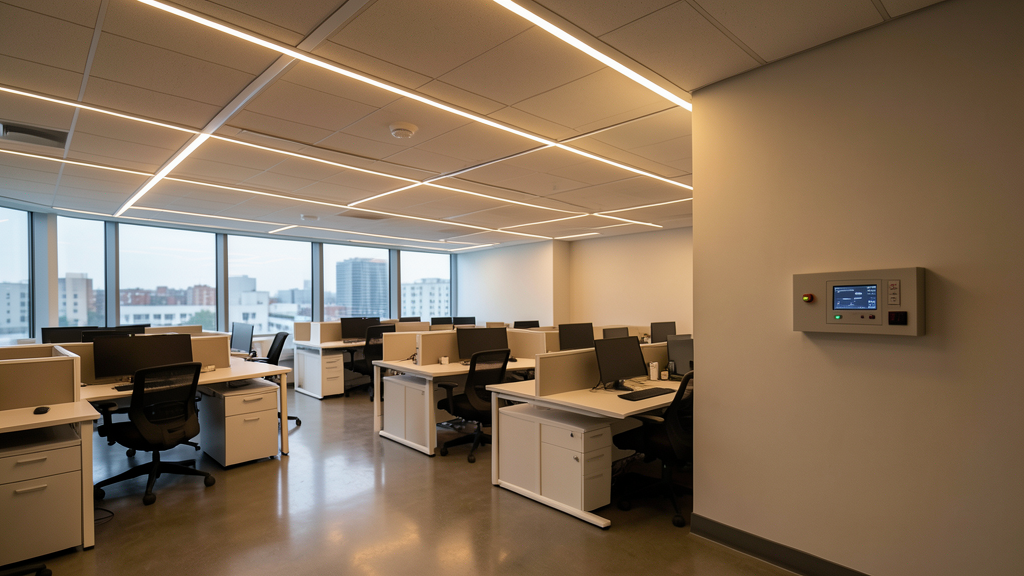
Commercial office lighting control
In offices or meeting rooms, manage multiple groups of DALI luminaires through a gateway to achieve zoned dimming and scene switching.
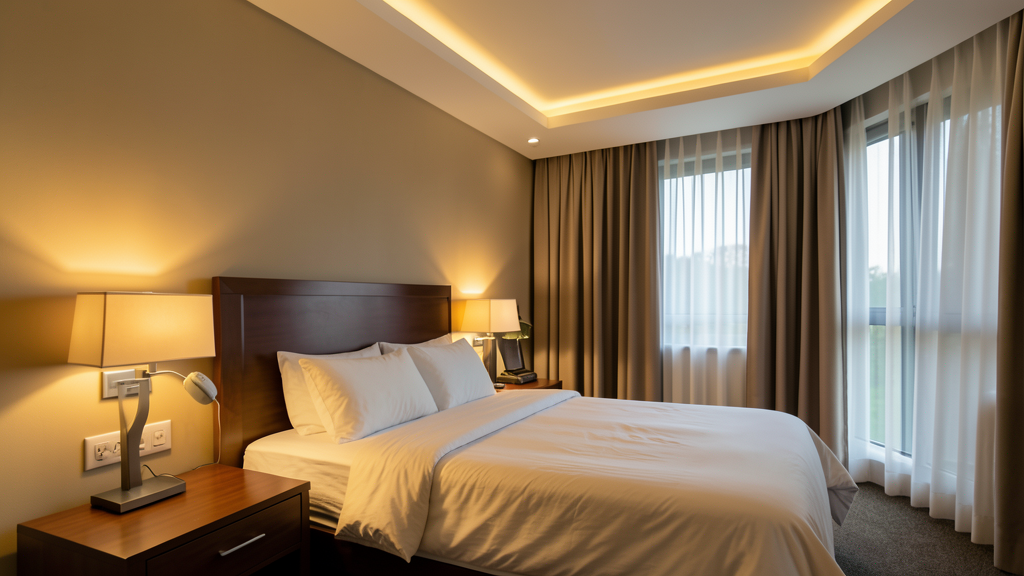
Hotel guest room smart lighting
In hotel guest rooms, use the gateway to control DALI devices such as bedside lamps and ambient lights, providing a comfortable lighting environment experience.

Retail store atmosphere creation
In retail stores, use the gateway to adjust shelf lights and display area lighting to highlight products and create a shopping atmosphere.

Meeting room scene linkage
In meeting rooms, combine Home Assistant automation to automatically switch lighting scenes based on meeting modes, improving space efficiency.
📊 Product specifications
🏠 HA integration · Five steps to Home Assistant
Connect to Home Assistant over Wi-Fi to manage device entities and automations.
Connect Wi-Fi and power
The HA version includes Wi-Fi and creates an access point when powered on. Connect a phone or computer to the device hotspot beginning with HA (password: 12345678).
Configure the device network
After connecting to the HA-xxxx hotspot, the setup page opens automatically. If it does not, open 192.168.4.1 in a browser. Connect the device to the 2.4 GHz network used by the HA host.
Discover the device in HA
Open the devices and management page in Home Assistant. Find the automatically discovered device under the ESP integration and select Configure to add it. Device entities are created automatically, without manually writing configuration.
Create automation scenes
Add device entity cards to the HA dashboard and create automations and scene interactions as needed.
Reset the device
If the device cannot reconnect to its configured network for about two to three minutes, it resets automatically. You can also select RESET in the HA interface.
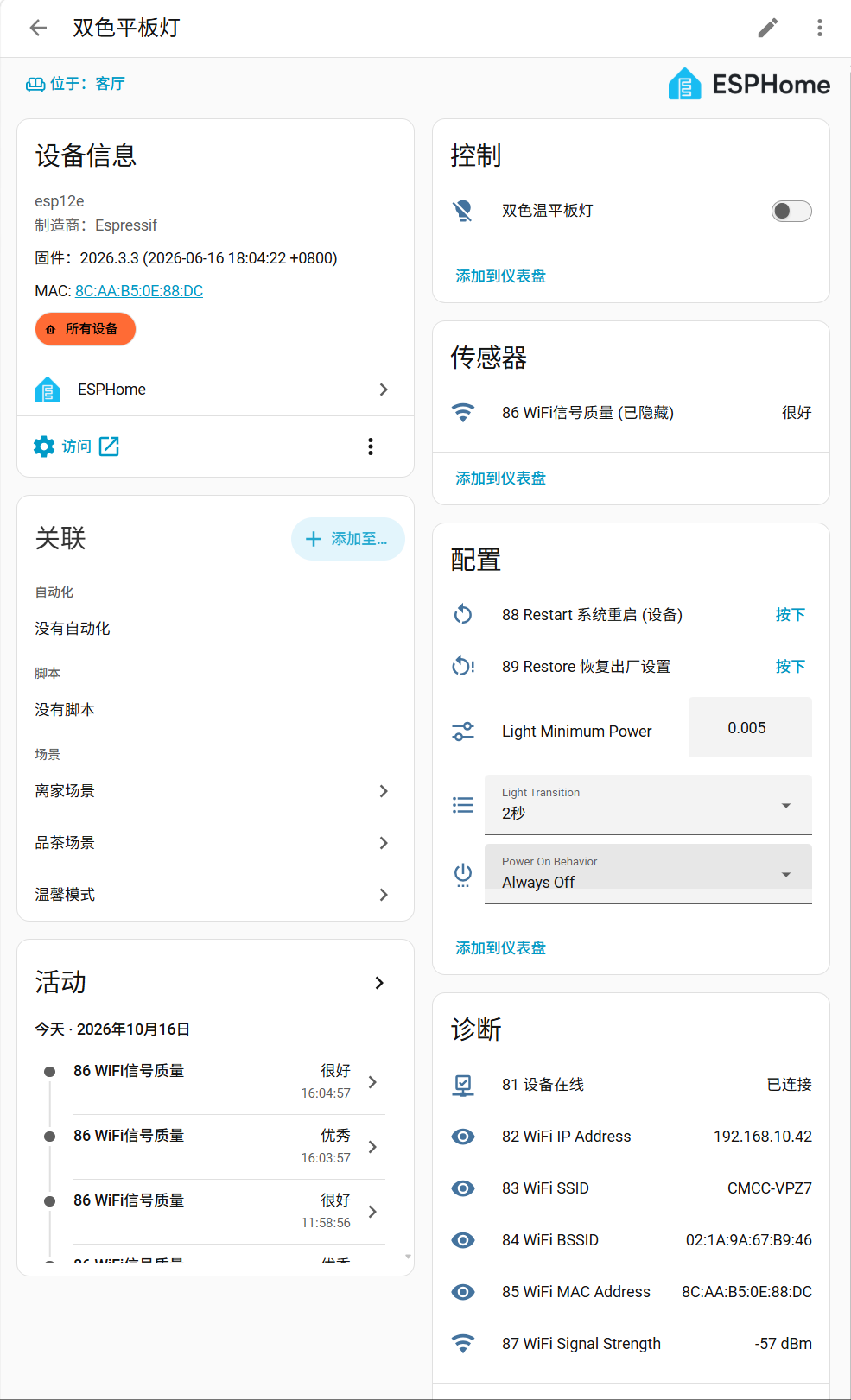
HA configuration
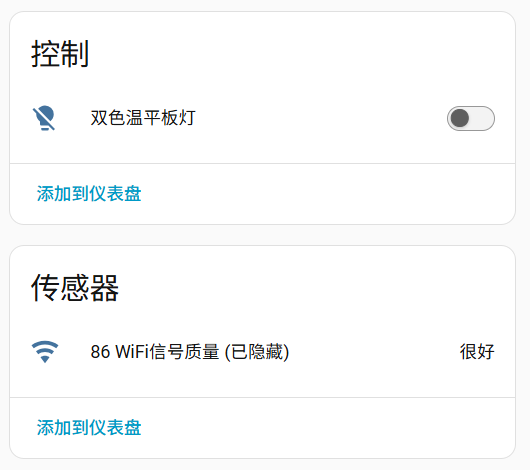
Device entities
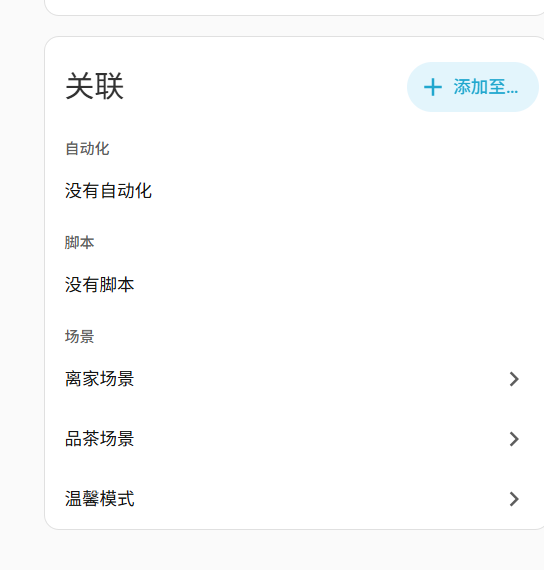
Automation scenes
🔌 Wiring
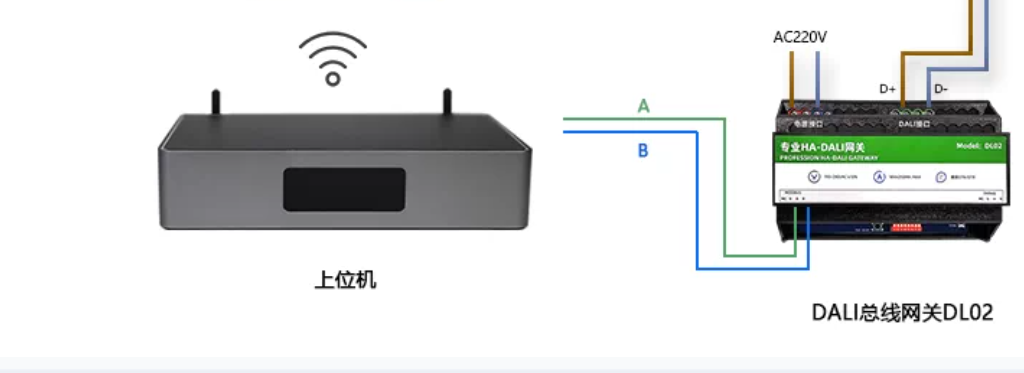
📡 Communication protocol · DL02 simulated Modbus protocol (for page effect verification only)
Status: DEMO / SYNTHETIC. The following registers, addresses, and values are simulated data and cannot be used for real device wiring, debugging, or delivery. Communication parameters include: protocol Modbus RTU (simulated), physical interface RS-485 two-wire (simulated), default address 1 (simulated), baud rate 9600 bit/s (simulated), data format 8 data bits, no parity, 1 stop bit (simulated), supported function codes 03 read holding registers, 06 write single register, 16 write multiple registers (simulated).
Operating mode
Register description
Operating modes
Request: 01 03 00 01 00 02 CRC

Explanation: (Simulated)Explanation: Write decimal 500 to register 0x0002 (simulated)Data value notes
- Within 100 meters: 9600 bit/s, use a 120Ω termination resistor at each end of the bus (simulated example).
- 100–500 meters: it is recommended to use shielded twisted pair and a bus topology (simulated example).
- Over 500 meters: should be re-verified by an engineer based on cable, number of nodes, and on-site interference (simulated example).
AI DEMO images are generated test materials, not product photographs. Verify appearance, ports, labels and installation against official sources.
Demo video
AI concept footage is for internal review only.
Only logged in customers who have purchased this product may leave a review.


Reviews
There are no reviews yet.